


Before & After: AI Floor Plan Redesign Results
See how our floor plan redesign AI transforms cramped, outdated, or inefficient layouts into modern, optimized spaces. Every redesign below started from a real floor plan.
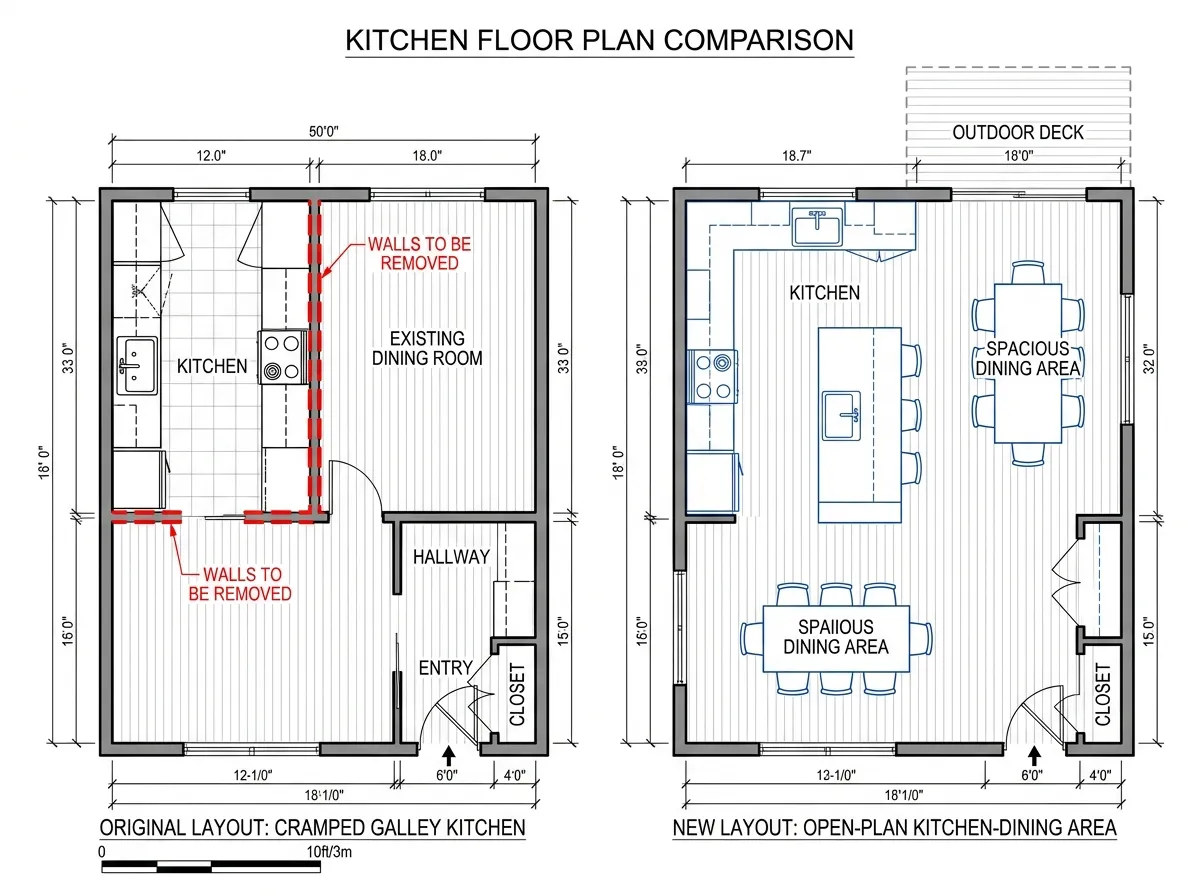
Cramped Kitchen Opened Up
A closed-off galley kitchen was redesigned by AI into a bright open-concept cooking and dining area with improved workflow and more counter space.
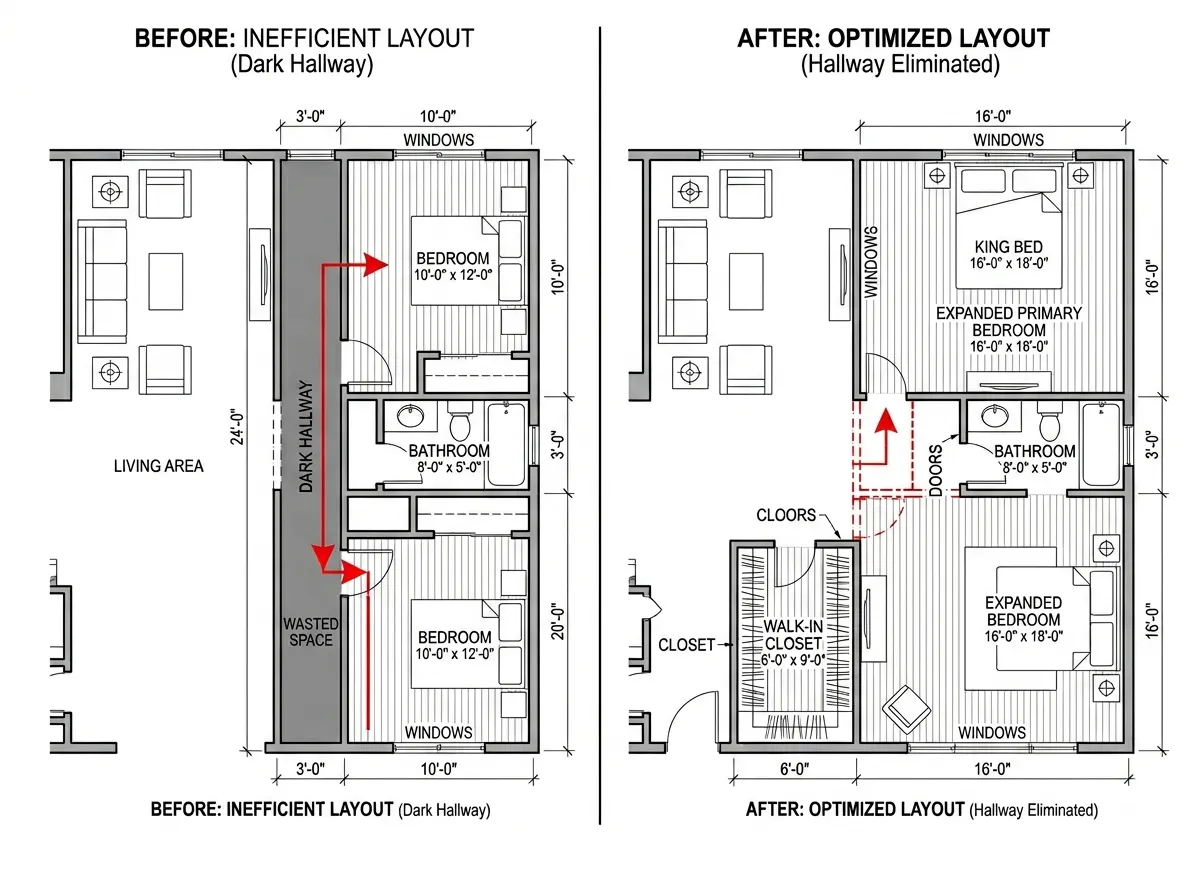
Wasted Hallway Space Reclaimed
Our floor plan redesign AI identified wasted corridor space and redistributed it to adjacent rooms, increasing the bedroom by 20% and adding a walk-in closet.
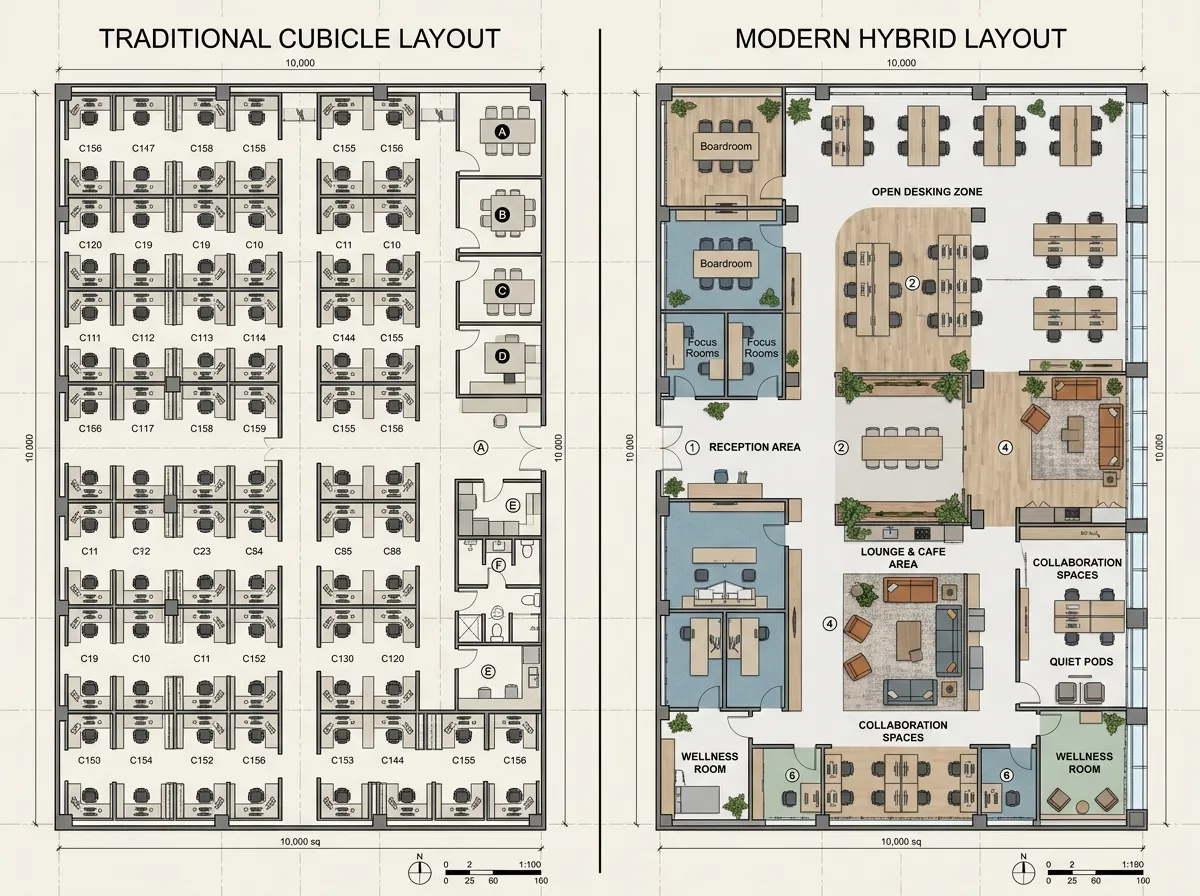
Office Layout Modernized
A traditional office with individual cubicles was redesigned into a modern hybrid workspace with collaboration zones, focus pods, and open hot-desking areas.
How Floor Plan Redesign AI Works
Upload, describe your goals, and receive multiple redesign options. Our floor plan redesign AI analyzes your layout and proposes intelligent improvements in seconds.
Upload Your Current Floor Plan
Upload your existing floor plan as an image or PDF. The floor plan redesign AI detects walls, rooms, doors, and windows. Tell us what you want to improve — more open space, better flow, extra rooms, or a specific room change.
AI Generates Redesign Options
The floor plan redesign AI generates 3–5 unique layout alternatives. Each option optimizes for different goals: maximum space, best traffic flow, additional rooms, or minimal construction changes. Compare side-by-side.
Refine & Export
Pick your favorite redesign, fine-tune room sizes, adjust wall positions, and export as a professional floor plan. Share with your architect, contractor, or design team for execution.
Why Our Floor Plan Redesign AI Delivers Better Layouts
Powered by architectural intelligence and spatial optimization algorithms, our floor plan redesign AI doesn't just move walls — it rethinks how you use space.
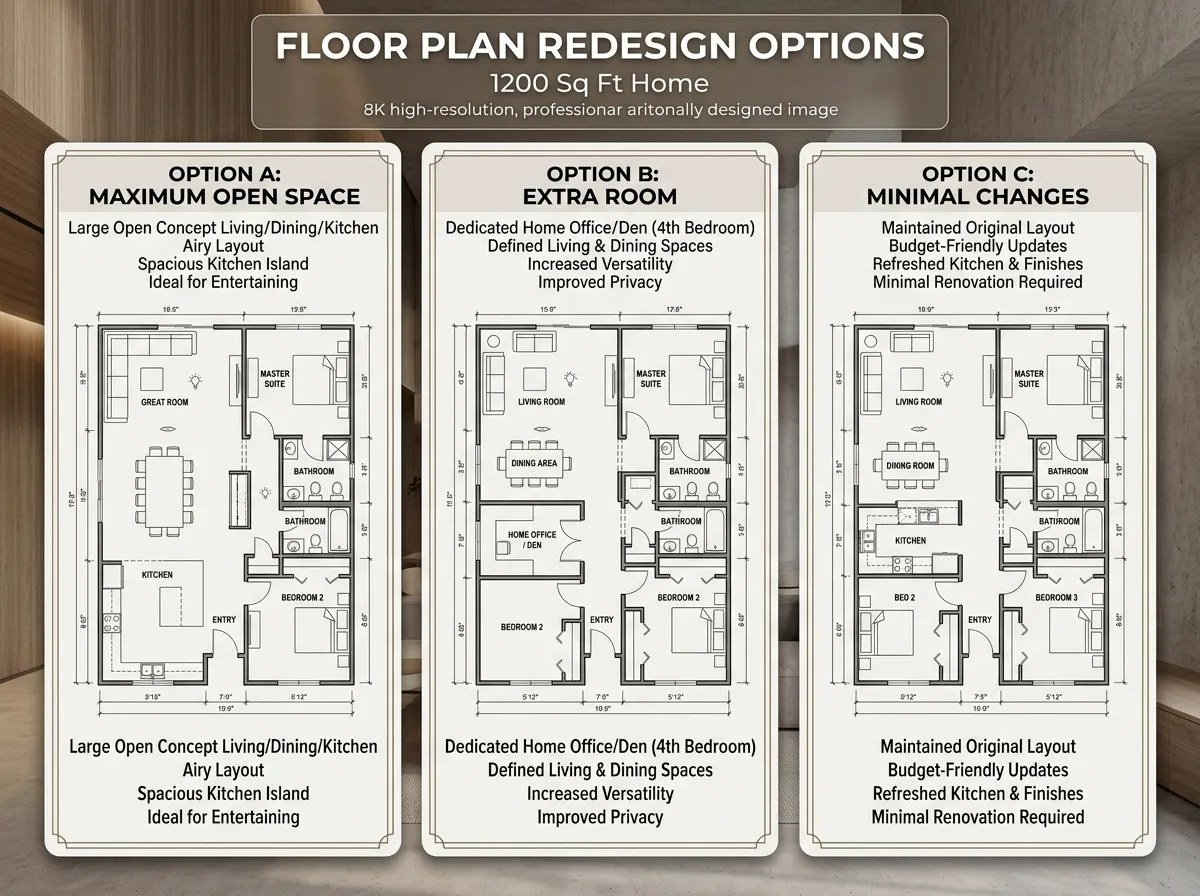
Multiple Redesign Options per Upload
Upload one floor plan and receive 3–5 distinct redesign alternatives. Our floor plan redesign AI explores different strategies: one maximizes open space, another adds rooms, a third minimizes structural changes. Compare them side-by-side to find your ideal layout.
See Multiple Options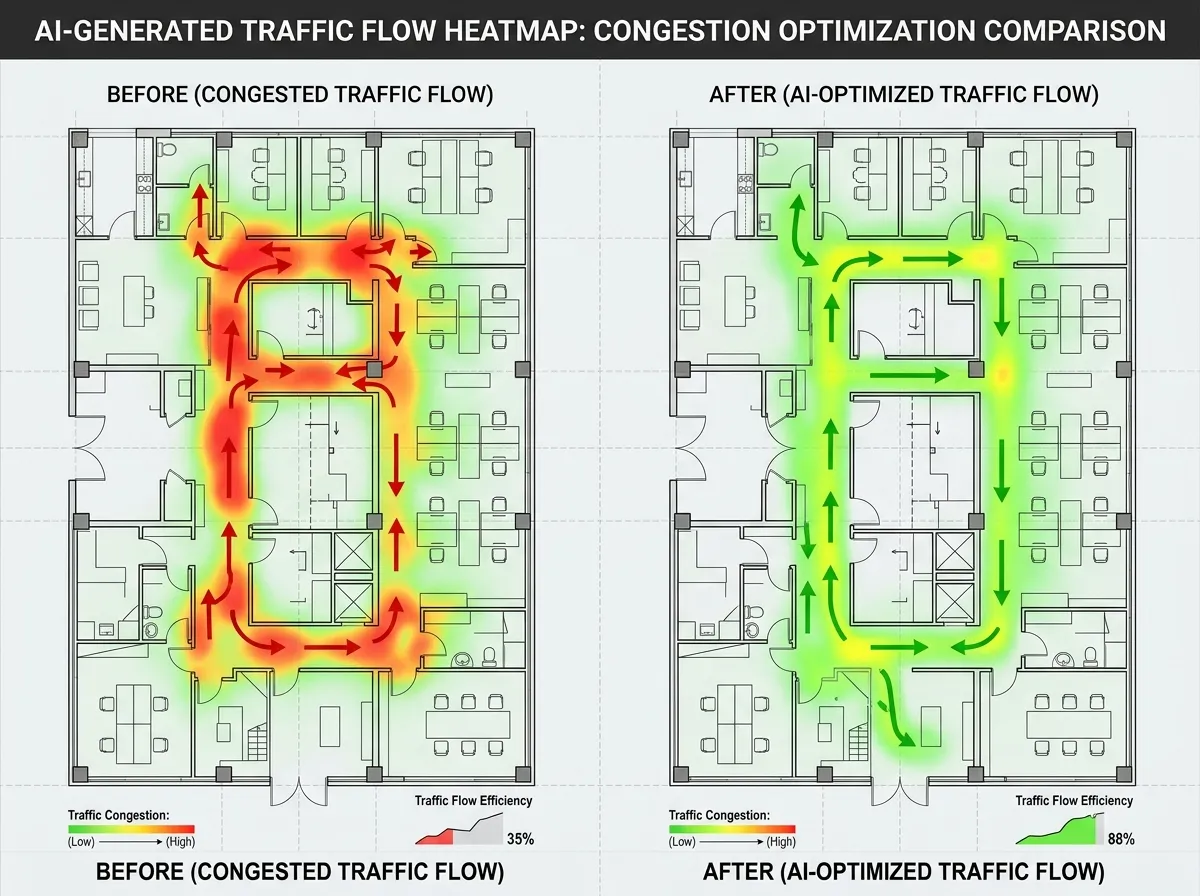
Traffic Flow & Circulation Analysis
Our floor plan redesign AI analyzes how people move through your space. It identifies bottlenecks, dead-end corridors, and awkward room transitions, then proposes layouts with smooth, logical circulation patterns for daily living or working.
Analyze Your Flow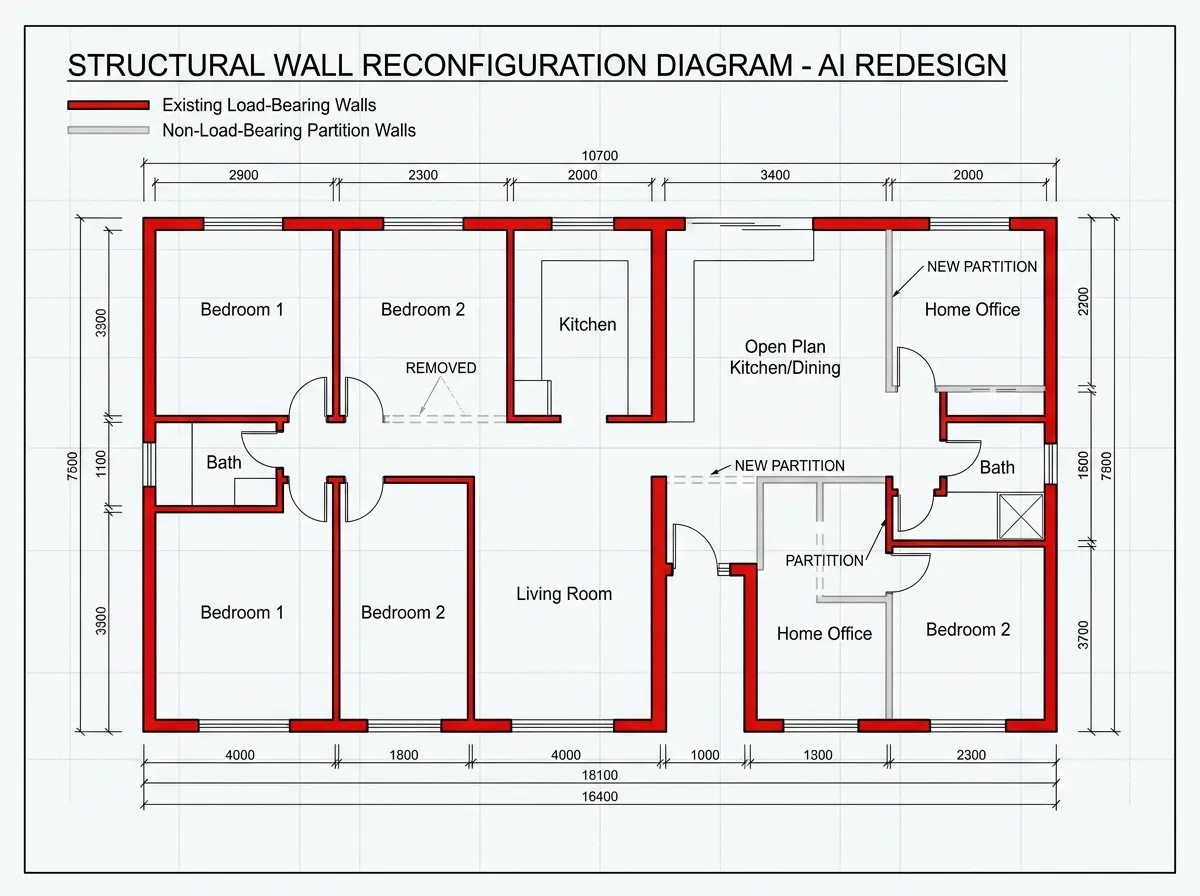
Structural Constraint Awareness
The floor plan redesign AI distinguishes between load-bearing and non-load-bearing walls. It respects structural constraints, plumbing stacks, and HVAC locations — ensuring redesign proposals are actually buildable, not just theoretically better.
Try Constraint-Aware Redesign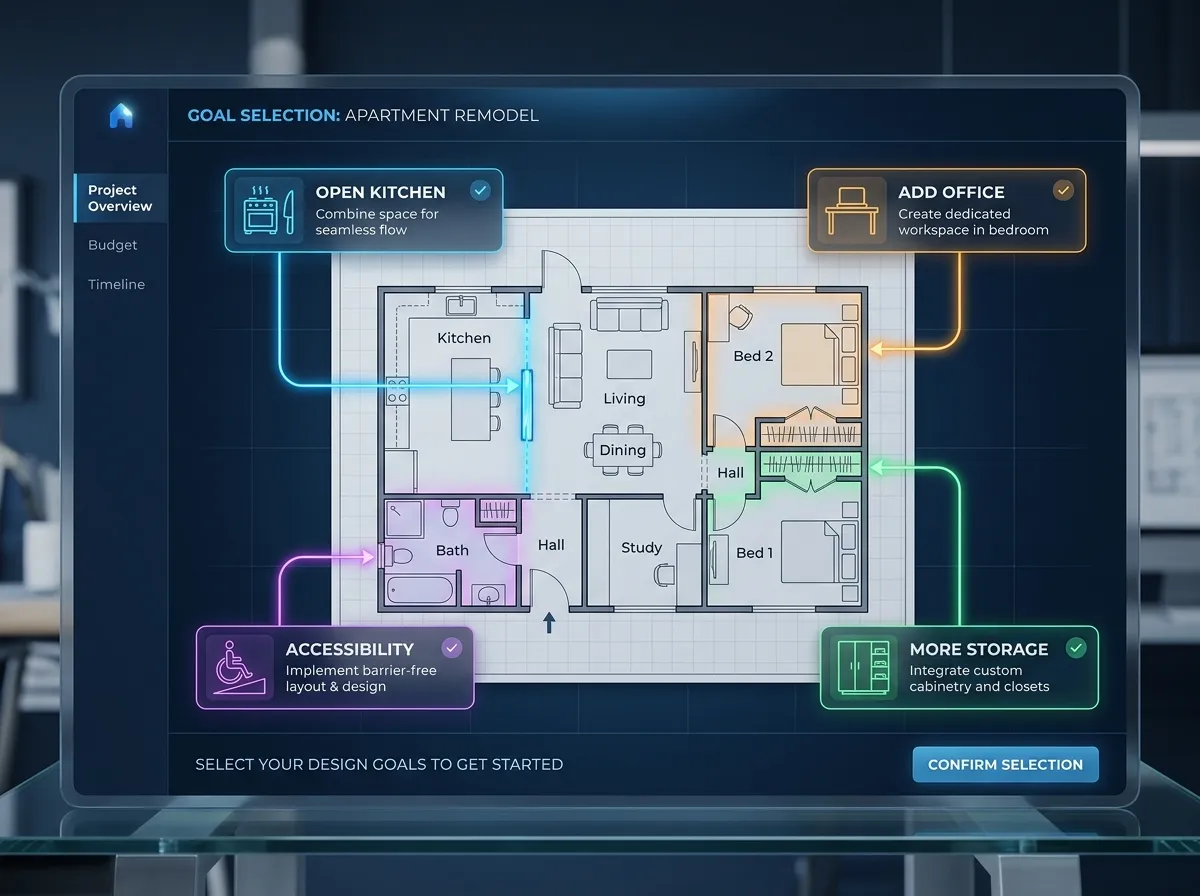
Goal-Based Redesign Preferences
Tell the floor plan redesign AI what matters most: more storage, home office space, open-plan living, kid-friendly layout, or accessibility features. The AI prioritizes your goals and generates layouts that solve your specific needs.
Set Your Goals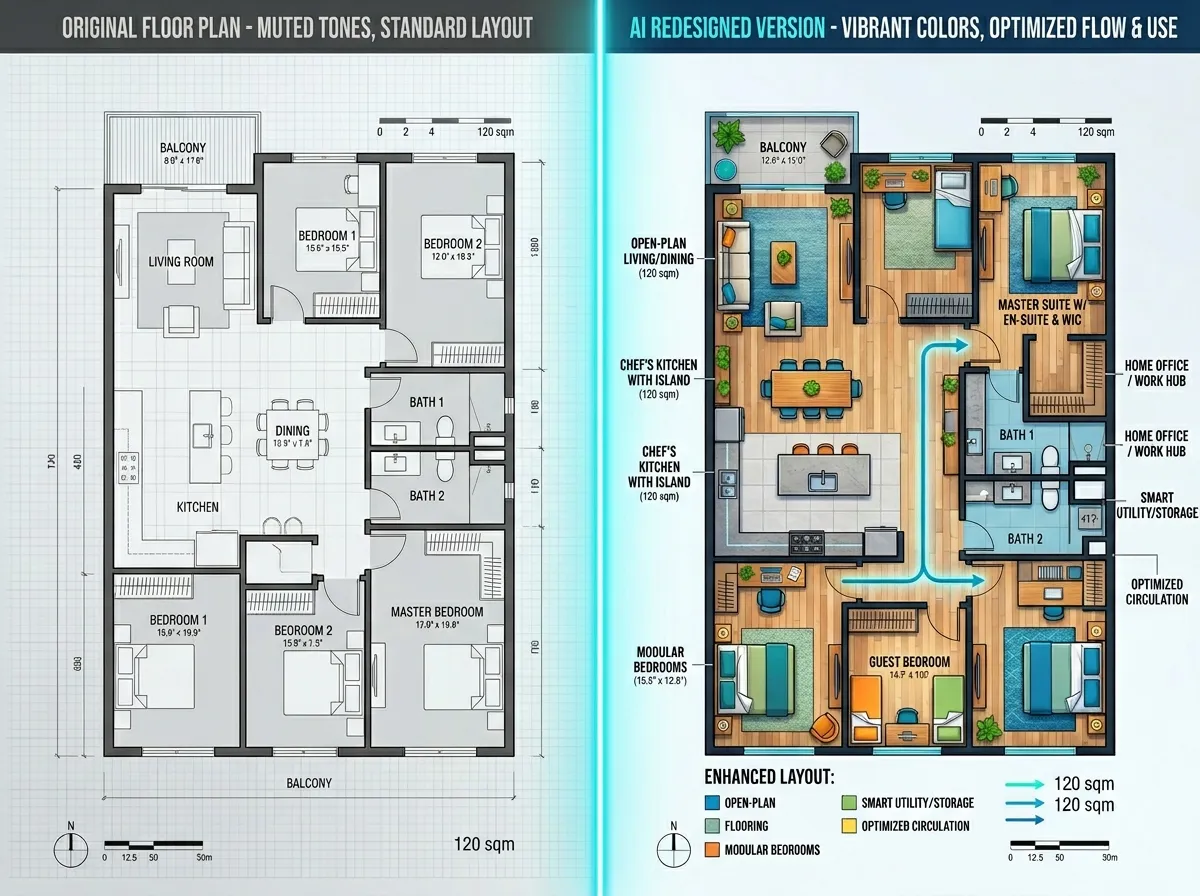
Before/After Comparison View
Instantly compare your original floor plan with the AI redesign. Our side-by-side comparison highlights every change: moved walls, resized rooms, new doorways, and reclaimed dead space. See exactly what the floor plan redesign AI improved.
See Before & AfterWho Uses Floor Plan Redesign AI
Homeowners, architects, flippers, and facility managers use our floor plan redesign AI to explore better layouts before committing to construction.

For Homeowners Planning Renovations
Not sure how to improve your home layout? Upload your floor plan and let the redesign AI propose multiple options. See what an open kitchen, added bathroom, or reconfigured bedroom could look like — without hiring an architect for initial concepts.

For Architects & Space Planners
Use floor plan redesign AI as a rapid ideation tool. Generate layout alternatives in seconds to present more options to clients. The AI handles initial space planning so you can focus on design refinement and detail.

For House Flippers & Investors
Maximize property value by finding the optimal layout. Our floor plan redesign AI identifies the highest-impact changes — adding bedrooms, opening kitchens, or improving flow — that increase resale value with minimal construction cost.

For Facility & Office Managers
Reorganize office layouts for hybrid work, team expansion, or downsizing. The floor plan redesign AI proposes workspace configurations that balance collaboration, focus, and social areas based on your team size and work style.
Frequently Asked Questions About Floor Plan Redesign AI

Redesign Your Floor Plan with AI Today
Stop guessing about layout changes. Upload your floor plan and see multiple intelligent redesign options in seconds. Trusted by homeowners, architects, and developers.
✨ No credit card required. Multiple options per upload.